Microsoft Entra adds a seven-day safeguard against irreversible identity deletion
Microsoft Entra’s Hard Deletion Protection, now in preview, gives administrators a seven-day window to recover selected identities before they can be permanently erased.
The feature is designed to help organizations respond to accidental or malicious deletion of critical directory objects. It supports users that are not synchronized from on-premises systems, cloud-only groups, applications, and service principals. Entra Agent ID objects are covered through their underlying identity types.
How the recovery window works
Entra generally retains supported soft-deleted objects for 30 days, during which administrators can restore them. However, permanent deletion can end that recovery opportunity sooner.
Hard Deletion Protection blocks permanent removal during the first seven days after an object is soft deleted. It does not prevent the initial deletion, which makes the object inactive and can disrupt access to dependent services.
After seven days, permanent deletion is allowed. Restoring an object preserves its protection, and a subsequent deletion starts a new seven-day window.
Microsoft Entra Backup and Recovery cannot recover hard-deleted objects. They must be recreated and reconfigured, with new identifiers and access relationships that may need to be rebuilt.
Enabling protection
Configuration requires the Microsoft Entra Backup Administrator role. In the Entra Admin center, administrators open Backup and recovery, choose Hard deletion protection, and select Add protection.
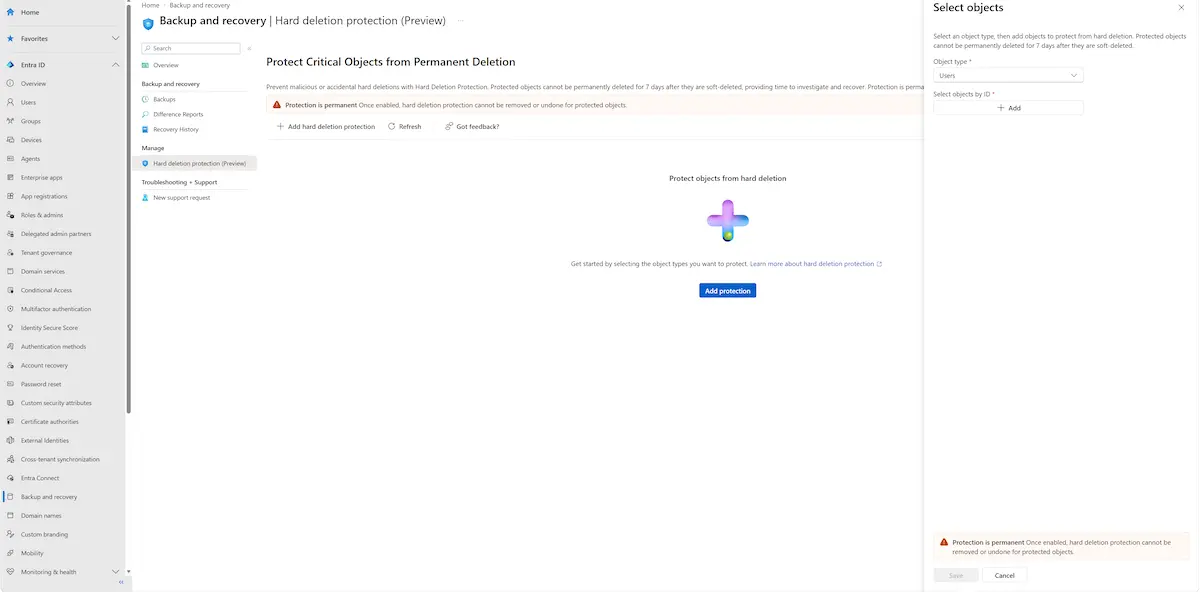
Hard Deletion Protection (Source: Microsoft)
Each operation can protect up to 20 objects of one supported type. Enabling the feature is recorded in audit logs, and no additional license is required for the currently supported types.
Administrators must review the selection carefully, because protection cannot be disabled once enabled. If an administrator needs to permanently remove an object protected unintentionally, it must first be soft deleted, followed by the seven-day waiting period.
Monitoring deletions
Microsoft recommends tracking deletion events in Entra audit logs and exporting them to a security information and event management platform, such as Microsoft Sentinel.
Organizations can also use Entra Conditional Access protected actions to apply additional requirements to sensitive permissions, including permanent deletion of directory objects.